
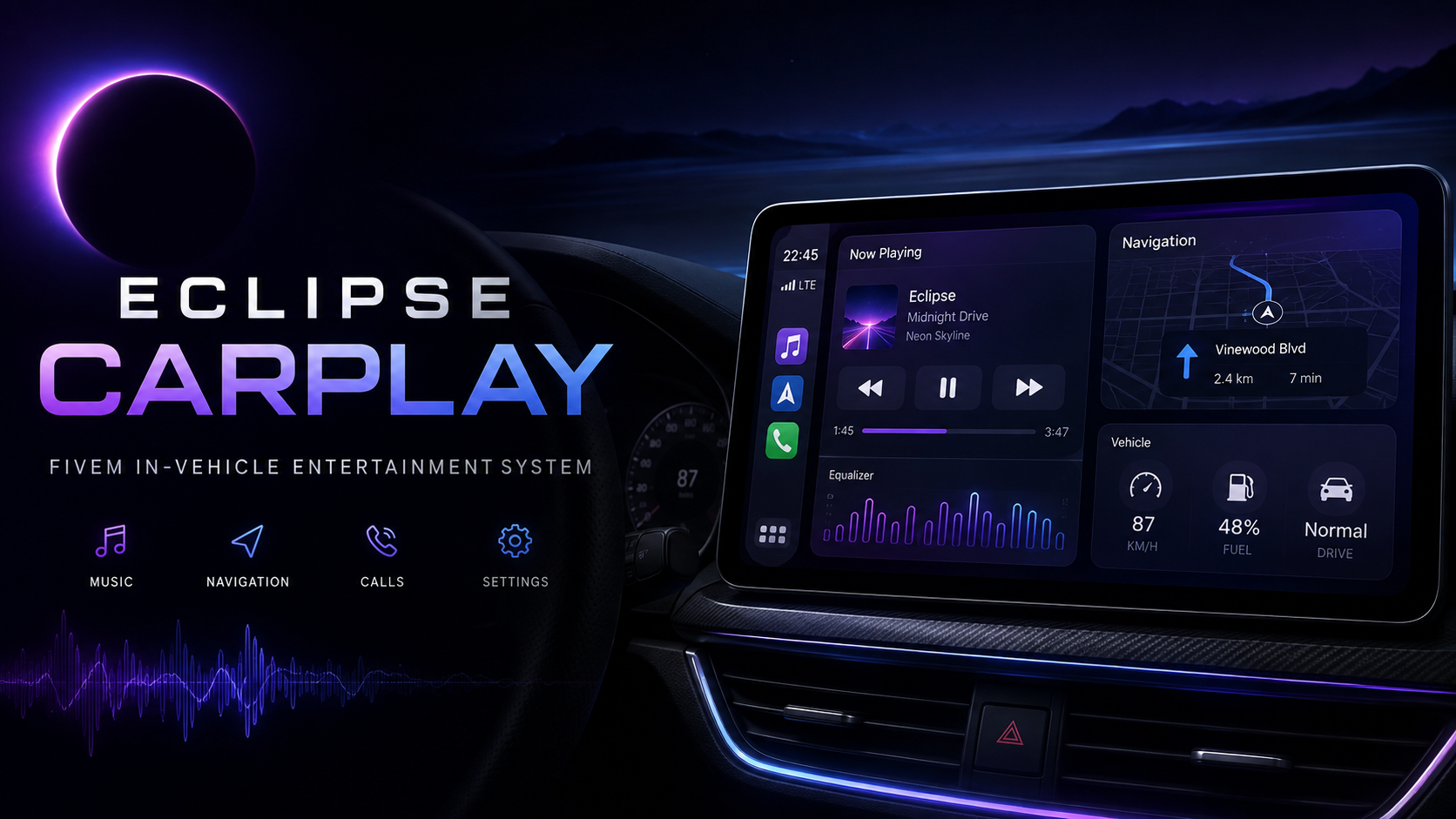
Eclipse Carplay
Photos & videos
Try the script UI before you buy
This is the real detected NUI frontend running in a safe browser sandbox. Click around just like an MDT, tablet, phone or menu. FiveM Lua/server code is not executed here.
Check your server setup
Select your framework and optionally list resources you already use.
Description
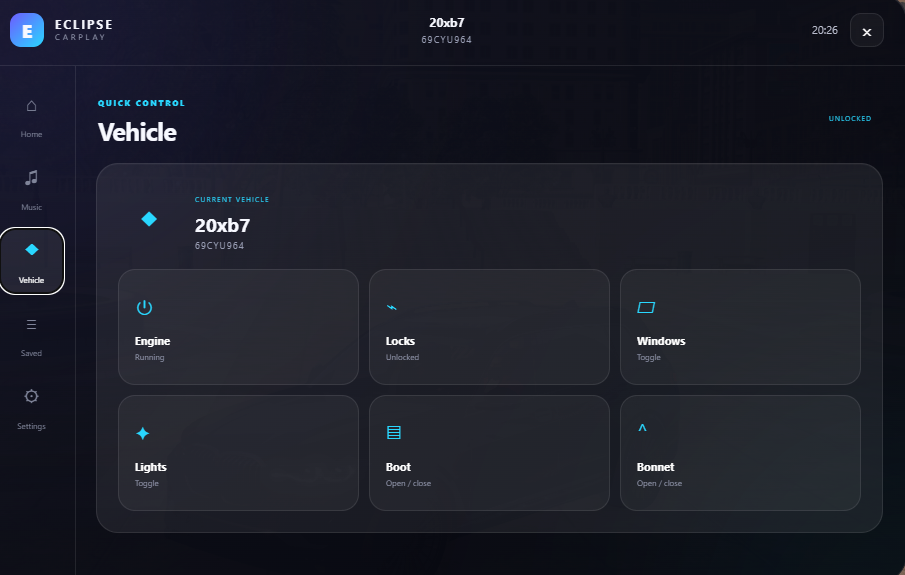
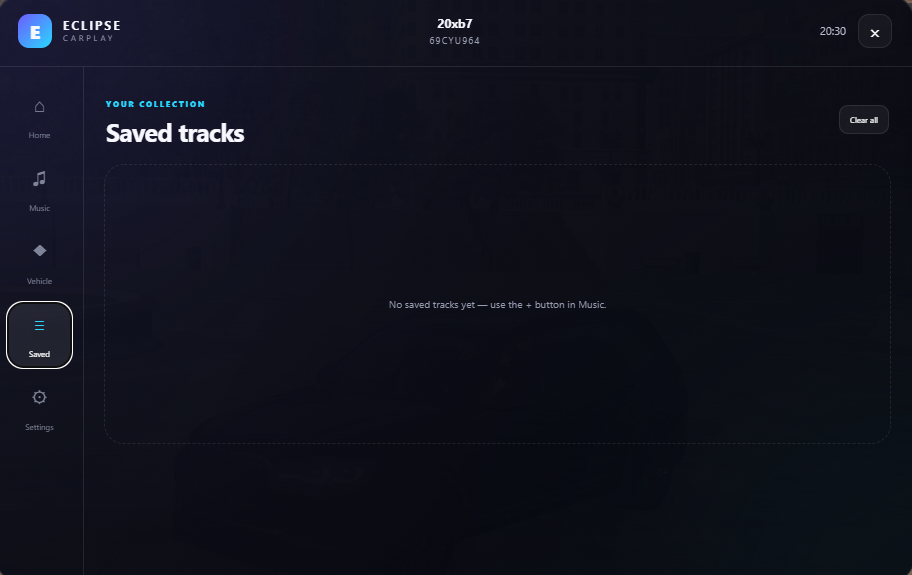
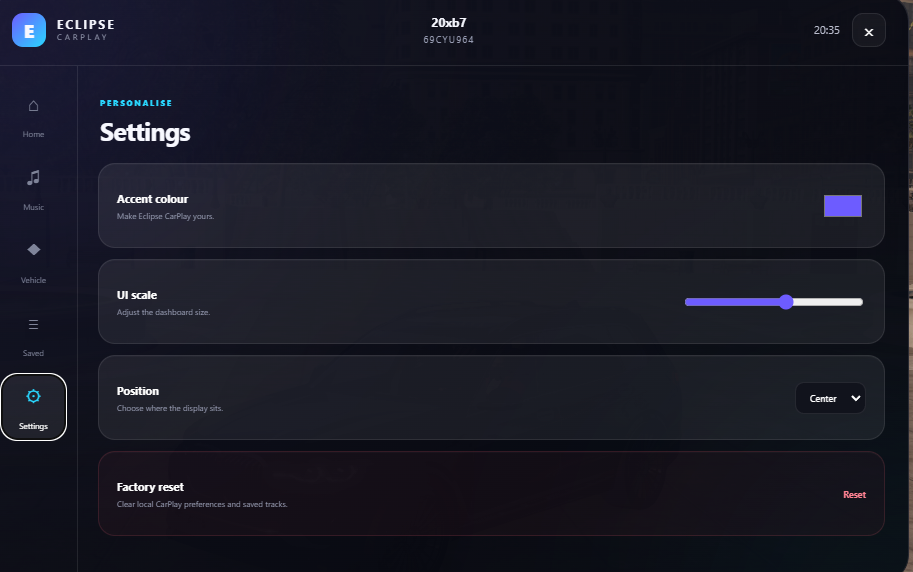
🚘 Eclipse CarPlay V4.0 Ultra | Premium FiveM Vehicle Infotainment System Transform your FiveM vehicles into a modern driving experience with Eclipse CarPlay V4.0 Ultra — a complete in-vehicle infotainment system designed for roleplay, racing, vehicle-focused and serious FiveM servers. Eclipse CarPlay is much more than a basic music menu. It combines music, GPS navigation, vehicle controls, driver assistance, diagnostics, performance data, persistent statistics, customisation and external integrations in one clean dashboard-style interface. Players open CarPlay using /carplay while inside a vehicle and can access music, navigation, vehicle controls, cruise control, parking assistance, tyre information, health data, driver statistics and more. 🎵 Advanced Music System CarPlay includes a full vehicle media system supporting YouTube URLs and direct MP3, OGG, WAV, AAC and M4A audio links. Server owners can also configure online radio stations. Supported YouTube content can display the title, creator and thumbnail inside the Now Playing screen. Players can: • Play, pause and stop • Seek supported tracks • Change volume • Favourite and save music • View listening history • Search saved tracks • Use shuffle and repeat • Build a music queue • Automatically play the next queued track 🔊 Vehicle Proximity Audio Music can actually be heard from the vehicle by nearby players. Players inside hear it clearly, people standing beside the vehicle hear it at a reduced level, and the sound gradually gets quieter with distance. 🪟 Open & Closed Window Audio CarPlay also reacts to the vehicle windows. With windows open, music is clearer outside the vehicle. With windows closed, the audio becomes quieter and muffled, creating the effect of music playing inside a sealed car cabin. Players can also adjust bass, treble, balance and subwoofer strength through the built-in audio tuning controls. 🗺️ GPS & Navigation CarPlay contains a dedicated Navigation app. Server owners can configure destinations such as: • Police stations • Hospitals • Airports • Garages • Businesses • Sandy Shores • Paleto Bay • Custom roleplay locations Navigation can display the selected destination, remaining distance, travel direction, compass heading and estimated arrival information. Players can also find the nearest configured fuel station and place a waypoint on it. Custom locations can be saved and named, making it easy to store houses, businesses, garages, meeting points, event areas, gang locations and job locations. 🚘 Vehicle Control Panel The built-in control screen can manage: • Engine on/off • Lock/unlock • Windows • Vehicle lights • Boot/trunk • Bonnet/hood This gives players one central place to control common vehicle functions instead of relying on multiple commands. Passenger access can be enabled or disabled in the configuration. 🔐 Valet Mode Valet Mode can restrict sensitive controls or music changes while another player is using the vehicle. 🚦 Cruise Control & Speed Limiter Eclipse CarPlay includes cruise control and speed limiting. By default, U can activate the system while driving above the configured minimum speed. CarPlay can use the current vehicle speed as the target and attempt to maintain or limit the vehicle around that value. Cruise control can automatically disengage when the player brakes or uses the handbrake. 🚘 Adaptive Cruise Control Adaptive Cruise can detect slower traffic ahead. When another vehicle is detected, CarPlay can reduce the target speed and return toward the selected cruising speed once the road clears. Following distance and related behaviour can be adjusted through configuration. 📡 Blind-Spot Monitoring The blind-spot system can detect vehicles positioned beside and slightly behind the player's vehicle. Left and right warnings can appear when a vehicle occupies the blind spot. If an indicator is activated while another vehicle is detected, the warning can become more noticeable. 🅿️ Front & Rear Parking Sensors Parking assistance can detect nearby objects in front of and behind the vehicle and display approximate distance information. Sensor range and danger distance are configurable, making the feature useful for large vehicles, tight spaces and busy city streets. 📹 Front Dashcam V4 includes a dedicated front dashcam. Opening it can switch to a scripted camera mounted to the vehicle. The dashcam can show: • Vehicle registration plate • Current speed • Time • Parking sensor information The camera follows the vehicle while driving and can be useful for police RP, filming, driving clips and general immersion. The front dashcam remains in V4. The older reverse-camera feature has been removed. 🏎️ Performance Display Car enthusiasts can access a performance screen with supported information including: • RPM • Current gear • Estimated G-force • Turbo/boost information • 0–60 MPH timing • Lap timer • Best lap The 0–60 system can automatically measure acceleration, while lap timing lets players record and compare driving performance. 🔧 Vehicle Health & Diagnostics The Service section can display: • Fuel level • Engine health • Body condition • Tyre information • Estimated oil temperature • Battery voltage • Trip mileage • Persistent odometer mileage • Average speed • Estimated fuel used • Remaining service mileage This gives players an in-character way to monitor the condition of their vehicle. 🛞 TPMS – Tyre Pressure Monitoring CarPlay monitors the front-left, front-right, rear-left and rear-right tyres individually. It can display calculated PSI and issue warnings when tyre condition falls below configured levels. Normal PSI, low-pressure and critical-pressure thresholds can be adjusted. ⚠️ Vehicle Warning System CarPlay can show warnings for low fuel, engine problems, open doors/panels, handbrake use, seatbelt status, low tyre pressure and punctured tyres. External mechanic, engine or vehicle-damage resources can also send custom faults into CarPlay. 🔧 Service History Vehicle maintenance can be recorded through the built-in service history. Entries can include Full Service, Oil Change, Brake Replacement, Tyre Replacement, Engine Repair or custom notes. Mileage can be stored with each record, giving owned vehicles a believable maintenance history. 📊 Persistent Driver Statistics CarPlay can save long-term information such as: • Total distance driven • Total driving time • Highest recorded speed • Best 0–60 MPH time • Best lap time • Recorded fuel usage These stats can remain available between sessions when persistence is enabled. 👤 Driver Profiles The included setup supports three configurable driver profile slots by default. Profiles can separate supported settings and stored information for different drivers, characters or guests. 💾 SQL + JSON Persistence When oxmysql is available, CarPlay can use the included eclipse_carplay.sql database setup. A server-side JSON fallback can also be used for core persistence. Stored information can include driver profiles, odometer mileage, statistics, service history, interface preferences and saved media data. 🎨 Customisable Interface Players can personalise the CarPlay interface using themes such as: • Eclipse • Midnight • Sport Red • Luxury Gold • Light Other options can include custom accent colours, wallpaper URL, brightness, automatic night mode, UI scale and UI position. The interface can be positioned on the left, centre or right of the screen to fit different HUD layouts. ⚡ Premium Boot Screen CarPlay includes an animated Eclipse boot sequence. Server owners can customise the brand name, product name, version, logo text, accent colours, boot subtitle, HTTPS logo URL and boot duration. This makes it easy to adapt the system to your own server branding. 📱 Phone Integration The Phone app is designed to integrate with external FiveM phone resources, including supported or detectable setups such as: • LB Phone • QS Smartphone • YSeries • YFlip Phone A direct LB Phone bridge is included for supported call/message functionality. Other systems can integrate through available CarPlay events and exports. The interface can support active calls, messages, contacts, recent calls and notifications. 🚨 Emergency Shortcuts Quick Police and EMS shortcuts can pass vehicle, plate and location information into a configured emergency or dispatch system. 🚗 Owned Vehicles & Garages CarPlay includes an Owned Vehicles area for supported frameworks and garage/database setups. Supported information can include: • Vehicle • Registration plate • Garage • Fuel • Engine condition • Body condition • Garage location Players can also navigate toward supported garage locations. The system is designed to work with or integrate around resources such as JG Advanced Garages, QB garages, Qbox garages and custom setups. ⛽ Fuel Compatibility Fuel detection can work with ox_fuel, LegacyFuel and cdn-fuel. If none are active, CarPlay can fall back to GTA's native fuel value. 🧩 Expandable App System Developers can add compatible applications using the RegisterApp export, allowing CarPlay to grow alongside the server. 📢 Announcements & Notifications Authorised staff can send CarPlay announcements using the eclipse.carplay.announce ACE permission. The notification centre can also display phone alerts, vehicle warnings and general information. 🔌 Framework Compatibility The main Eclipse CarPlay resource is designed to work with: ✅ Qbox ✅ QBCore ✅ ESX ✅ Standalone Some optional features, such as phone and garage information, depend on the external resources used by the server. ⚙️ Highly Configurable A large range of settings can be changed through config.lua, including the open command, passenger access, engine requirements, music synchronisation, branding, colours, wallpapers, night mode, proximity audio, music volume, radio stations, navigation destinations, fuel stations, cruise control, dashcam position, parking sensors, blind-spot detection, tyre settings, warnings, service intervals, persistence and framework/phone/garage integrations. 🎮 Default Controls Open CarPlay: /carplay Cruise Control / Speed Limiter: U Close CarPlay: interface close button or ESC The older F6 opening keybind and F6 in-vehicle prompt have been removed from V4. ❌ Removed From V4 To keep V4 focused on vehicle infotainment and driving systems, the following older features are no longer included: • Police MDT • Dispatch application • Evidence screenshot/capture system • Reverse camera The front dashcam is still included. 📦 Included Files The package includes the main files required to configure and run CarPlay: • fxmanifest.lua • config.lua • client.lua • server.lua • eclipse_carplay.sql • Complete HTML interface • CSS styling • JavaScript functionality • Setup/readme information 🚘 Why Eclipse CarPlay? Eclipse CarPlay V4.0 Ultra makes vehicles feel like a real part of the roleplay experience. Players can use synchronised music, proximity audio, navigation, vehicle controls, cruise control, blind-spot monitoring, parking sensors, diagnostics, tyre monitoring, service records, performance data and persistent statistics from one modern interface. It suits UK RP, city RP, racing, car-meet, mechanic and vehicle-focused servers, giving players something useful to interact with every time they get behind the wheel. 🚘 Eclipse CarPlay V4.0 Ultra Your vehicle. Your music. Your settings. Your drive. Digital FiveM resource — no physical product will be shipped.
Frequently bought together
Popular additions to pair with this product.
Customer reviews
Anyone can review this product at any time. No account or purchase is required. Confirmed purchases and free downloads are marked as verified automatically.
Leave a review
Your review is public and helps other server owners. Anyone can post a review at any time — no account, purchase or download is required.